
Contents
Karaoke Creation Is Becoming a Broader Workflow
Text Assets Karaoke Creators Already Have
What Can Lyrics and Scripts Become?
From Written Script to Spoken Audio
A Practical Workflow for Karaoke Creators
Good Use Cases for Script-to-Audio in Karaoke Content
Keep Copyright and Permission in Mind
Final Thoughts
Karaoke creation used to be simple: find a song, remove the vocals, add lyrics, and sing along.
That workflow is still useful, especially for practice, home karaoke, parties, performance prep, and social sharing. But for many creators, karaoke is no longer just a backing track. It is becoming part of a larger content workflow.
A creator may start with one song and end up making several kinds of content around it.
- A karaoke video.
- A vocal practice version.
- A short social media clip.
- A lesson for learners.
- A spoken introduction.
- A song explanation.
- A behind-the-scenes narration.
A story-driven video. The interesting part is that many of these content formats start from text.
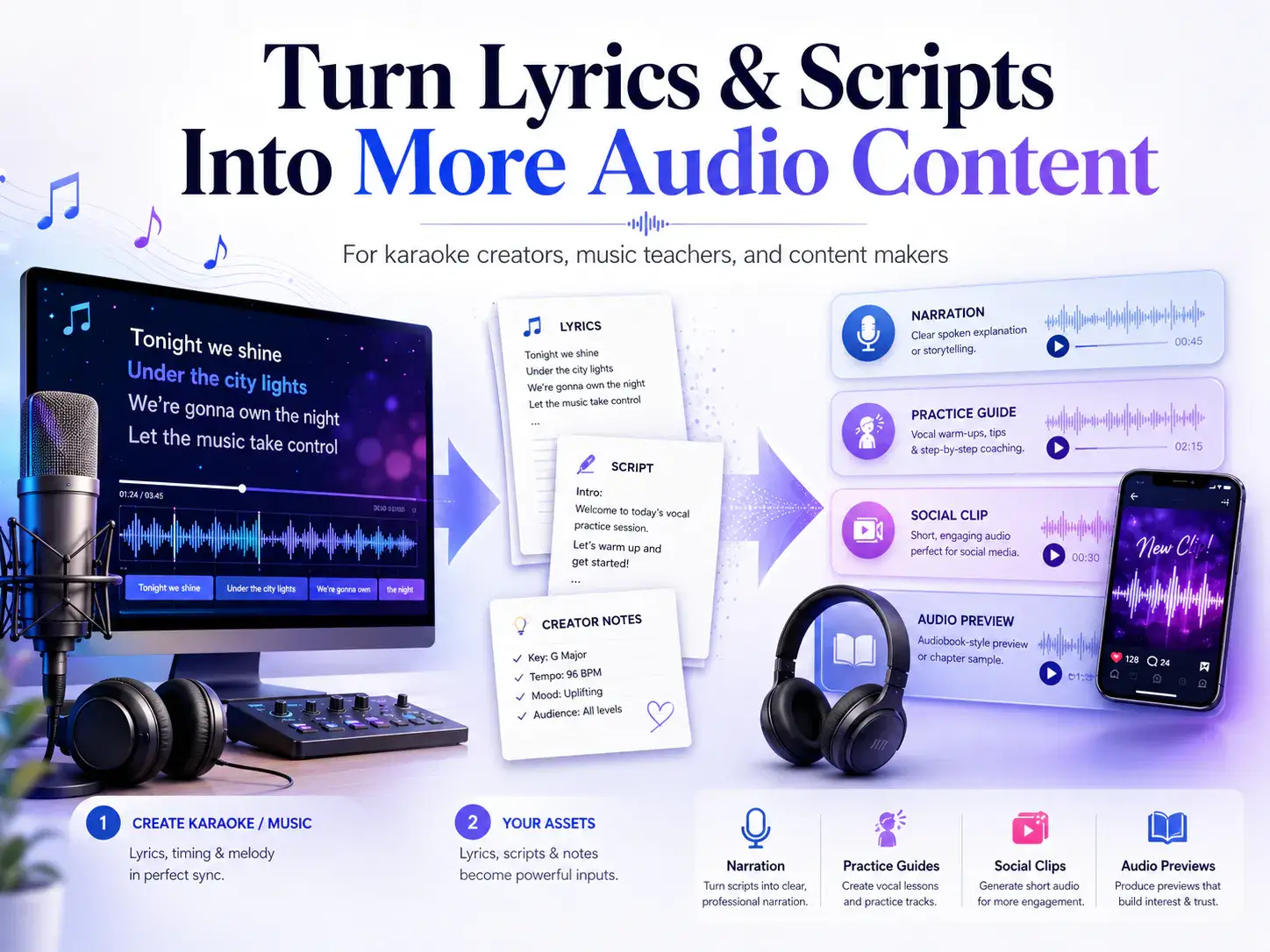
Lyrics, scripts, notes, commentary, and practice instructions can all become reusable creative assets. Once those text assets are cleaned and structured, they can support more than just subtitles on screen. They can become spoken audio, narration, practice guides, and even audiobook-style previews.
This article looks at how karaoke creators can turn lyrics and scripts into more audio content without overcomplicating the workflow.
Karaoke Creation Is Becoming a Broader Workflow
A modern online karaoke maker can help creators quickly turn a song into a karaoke-ready version by removing vocals and adding synchronized lyrics. That solves the core karaoke problem: making a track people can sing along with.
But once the karaoke video is ready, creators often need more supporting content.
For example, a YouTube creator may want a short spoken intro before the karaoke begins. A vocal coach may want a practice guide that explains difficult phrases. A language learner may want notes about pronunciation. A social media creator may want a narrated clip explaining the mood or story behind a song.
This is where text becomes important.
The karaoke file is the center of the experience, but the surrounding content often comes from written material:
- • lyric files
- • video descriptions
- • intro and outro scripts
- • song background notes
- • vocal practice instructions
- • pronunciation notes
- • social media captions
- • creator commentary
- • lesson outlines
- • story ideas inspired by the song
If creators already have these materials, the next step is learning how to reuse them.
Text Assets Karaoke Creators Already Have
Most karaoke creators already work with text, even if they do not think of it that way.
Lyrics are the most obvious example. They guide the timing, structure, and emotional flow of the video. But lyrics are not the only useful text asset.
A creator might also write a short description for the video, such as:
A slow piano karaoke version for vocal practice.
Or a vocal coach might prepare a note like:
Focus on breath control in the chorus and keep the first verse soft.
A music educator might create a short explanation of the song's structure. A language learner might write pronunciation notes. A content creator might prepare a short hook for TikTok or YouTube Shorts.
These pieces of text can be small, but they are valuable. They can help explain the content, guide the audience, and turn one karaoke file into multiple pieces of audio or video content.
The key is to stop treating text as something that only appears on screen.
Text can also be heard.
What Can Lyrics and Scripts Become?
Once creators start thinking beyond the karaoke track itself, several new content formats become possible.
1. Spoken song introductions
A karaoke video can begin with a short narration:
This version is designed for vocal practice, with the lead vocal removed and lyrics synced on screen.
This kind of intro is useful for YouTube videos, practice libraries, online lessons, and social media previews. It gives the viewer context before the music starts.
2. Vocal practice guides
Singers often need more than a backing track. They may need to know where to breathe, which lines are difficult, how to approach a high note, or how to handle rhythm changes.
A short written practice note can become a spoken vocal guide:
Start by listening to the chorus once. Then practice the first two lines slowly before singing with the full backing track.
This is useful for vocal coaches, music teachers, and self-learners.
3. Creator commentary
Many creators build content around songs. They explain why a song is difficult, what emotion it carries, or how it fits a certain mood.
That commentary can become narration for:
- • YouTube intros
- • Shorts and Reels
- • behind-the-scenes clips
- • playlist introductions
- • learning content
- • music reaction content
Instead of only uploading a karaoke file, creators can build a stronger story around the song.
4. Language learning audio
Songs are often used for language learning. A creator might explain vocabulary, pronunciation, rhythm, or emotional tone.
For example:
In this line, pay attention to the vowel sound and the way the phrase connects into the next beat.
This type of text can become audio for learners who want to review before singing.
5. Story-based audio content
Some creators build short stories or emotional scenes around music themes. A love song, a breakup song, or a dramatic ballad can inspire a short spoken introduction or narrative scene.
This is where script-to-audio workflows become useful. A written story, scene, or intro can be turned into spoken audio and then paired with visual or musical content.
From Written Script to Spoken Audio
The challenge is that not every piece of text sounds good when spoken aloud.
A video description may work well on a page but sound awkward as narration. Lyrics may be poetic, but commentary needs a different rhythm. Practice notes may be useful, but they need to be clear and easy to follow when heard.
Before turning text into audio, creators should clean and shape it like a script.
A good spoken script should be:
- • short enough to follow
- • clear in structure
- • natural when read aloud
- • free from unnecessary formatting
- • separated into clean sections
- • written for listening, not just reading
Once a creator has a clean narration script, the next step is to test how it sounds. A tool like Audiobook Generator can help turn longer scripts, story notes, or spoken introductions into audiobook-style audio previews before creators use them in videos, vocal practice materials, or longer audio projects.
This does not mean every karaoke creator needs to make a full audiobook. The point is simpler: if you have written content around a song, you can test whether it works as spoken audio.
That can help you create richer content from the same original idea.
A Practical Workflow for Karaoke Creators
Here is a simple workflow creators can follow.
Step 1: Create the karaoke version
Start with the song. Remove the lead vocal, keep the instrumental, and prepare synced lyrics for the karaoke video.
This is the foundation of the content.
Step 2: Collect related text assets
Gather anything written around the song:
- • lyrics
- • practice notes
- • pronunciation tips
- • video intro
- • song explanation
- • creator commentary
- • short story idea
- • lesson notes
Do not worry if these are rough at first. The goal is to identify reusable material.
Step 3: Choose one audio use case
Do not try to create everything at once. Choose one format:
- • a 20-second spoken intro
- • a vocal practice guide
- • a short social media narration
- • a song story
- • a language learning explanation
- • a longer creator commentary
This keeps the workflow focused.
Step 4: Rewrite the text for listening
Clean up the script. Remove anything that only makes sense visually. Shorten long sentences. Add clear transitions. Make sure the listener can follow the idea without seeing the page.
For example, instead of:
Chorus breathing point — line 2 after "stay" — hold 2 beats
You might rewrite it as:
In the chorus, take a breath after the word "stay," then hold the next note for two beats.
That version works better as spoken audio.
Step 5: Generate a short audio preview
Before using the narration in a full video, test a short preview. Listen for pacing, clarity, and tone.
Ask:
- Does it sound natural?
- Is the intro too long?
- Does the voice match the mood?
- Is the script easy to understand?
- Would this help the viewer or distract from the karaoke experience?
A short preview can prevent you from adding weak narration to an otherwise strong video.
Step 6: Add the audio to your content
Once the spoken audio works, you can use it in different ways:
- • before the karaoke video starts
- • after the song as commentary
- • in a separate vocal practice clip
- • as part of a tutorial
- • as narration for a short social media video
- • as a learning guide for students
This helps one song produce multiple pieces of content.
Good Use Cases for Script-to-Audio in Karaoke Content
Script-to-audio is especially useful when the spoken content adds context.
Here are a few examples.
For singers
Create a short practice guide before the track begins:
Listen once, then sing the first verse softly. Focus on breath control before the chorus.
For music teachers
Turn lesson notes into short audio instructions:
Today we are focusing on pitch accuracy in the chorus and smooth transitions between phrases.
For YouTube creators
Add a spoken introduction:
This karaoke version is arranged for a softer vocal style and works well for practice or home performance.
For language learners
Explain pronunciation before singing:
Pay attention to the final consonants in each line. They should be clear, but not overemphasized.
For social media creators
Make short narrated clips:
This song sounds simple, but the chorus is harder than it looks. Here is the part most singers struggle with.
These small audio additions can make karaoke content more useful, more personal, and easier to repurpose.
Keep Copyright and Permission in Mind
Karaoke and music content often involve copyrighted songs, lyrics, recordings, and arrangements.
Creators should only use songs, lyrics, scripts, and audio materials they own, created themselves, or have permission to use. If the content is used commercially, licensing becomes even more important.
This also applies to narration and script-based audio. If you are turning written material into spoken audio, make sure you have the right to use that material.
A good workflow is not just fast. It should also be responsible.
Final Thoughts
Karaoke creation does not have to stop at removing vocals and syncing lyrics.
For creators, singers, teachers, and music learners, each song can become the starting point for a broader content workflow. Lyrics, scripts, practice notes, and commentary can all be reused to create spoken intros, vocal guides, educational clips, social media narration, and audiobook-style audio previews.
The key is to think of text as a reusable audio asset.
Start with the karaoke track.
Prepare the lyrics.
Write a short script.
Test how it sounds.
Then use that audio to make your content more helpful, engaging, and memorable.
A good karaoke video helps people sing along.
A stronger creator workflow helps people understand, practice, share, and connect with the music in more ways.