
Contents
What Vocal Removal Actually Does
Step 1: Prepare Your Audio
Step 2: Separate Vocals and Instrumental Audio
Step 3: Check the Result Before Making a Video
How to Improve a Vocal-Removed Track
Common Limitations and Honest Expectations
Turn the Instrumental Track into a Karaoke Video
Removing vocals is one of the most useful first steps when you want to make a karaoke track. The goal is not simply to make a song quieter. A vocal-removal workflow separates the lead vocal from the accompaniment so that the instrumental part can be used for singing practice, lyric videos, or a complete karaoke production.
I use the workflow below as a practical starting point for creators who want a fast result without losing sight of audio quality. It also fits naturally with the broader karaoke-making process: prepare the audio, create or check the lyrics, synchronize the words, and then assemble the final video in a tool such as Karaoke Maker’s track workflow.
If you also publish short-form content, a clean production workflow helps beyond the audio file itself. For example, after finishing a project, you can use Instagram Cleaner to review and clean up your Instagram following or account list before promoting a new karaoke clip. Keep that audience-management step separate from audio editing, and always review suggested removals manually.
What Vocal Removal Actually Does
Most modern vocal removers use audio source separation to estimate which parts of a recording belong to vocals and which belong to instruments. The result is usually two outputs: a vocal stem and an instrumental stem. Because the original mix combines frequencies, effects, reverb, and compression, the instrumental file is an intelligent reconstruction rather than a perfect copy of a studio master.
That distinction matters. A good result should preserve the rhythm and musical arrangement while reducing the lead vocal enough for singing. It may still contain faint vocal traces, especially in dense choruses, reverberant sections, or songs with backing vocals.
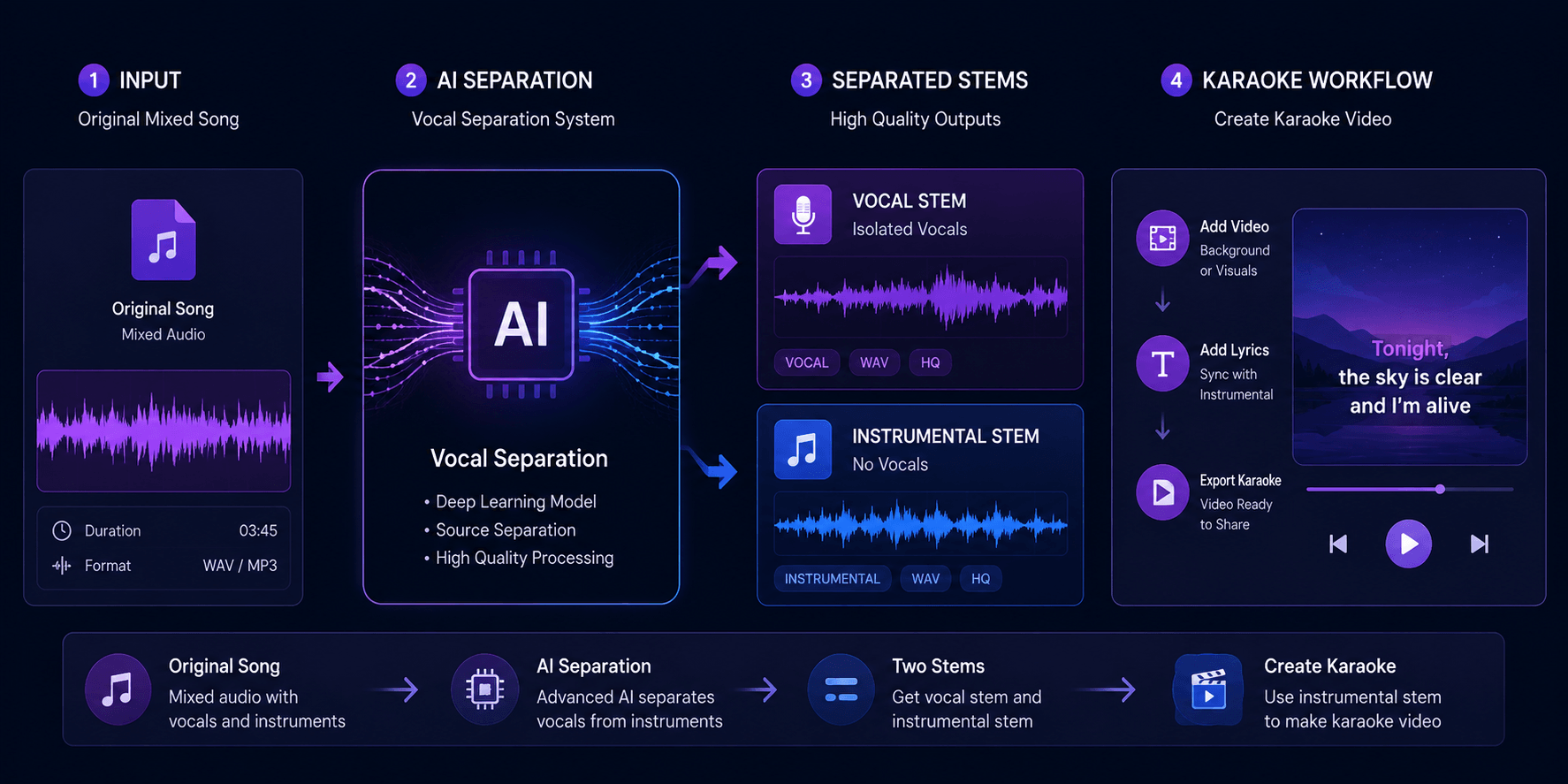
A typical source-separation workflow creates separate vocal and instrumental stems from the original mix.
Step 1: Prepare Your Audio
Before uploading a song, use the best source you are allowed to use. A clean, full-quality file gives the separator more information to work with than a heavily compressed social-media preview.
- Choose a complete track: avoid clips that start or end in the middle of a phrase.
- Prefer a lossless or high-bitrate source: WAV or a high-quality MP3 is usually easier to inspect.
- Keep a backup: never overwrite the original file while testing different outputs.
- Check your rights: only process and publish audio you have permission to use.
Step 2: Separate Vocals and Instrumental Audio
Upload the prepared file to your vocal-removal tool, select the separation or instrumental option, and wait for the stems to render. In Karaoke Maker, this step belongs at the beginning of the karaoke workflow, before lyrics and visuals are timed to the music. Keeping the instrumental stem as a separate file makes later revisions much easier.
Do not judge the result only from the first few seconds. Listen to a quiet verse, a dense chorus, and any bridge or outro. These sections expose different problems: residual vocals, missing percussion, metallic artifacts, or an instrumental balance that changes between sections.
Step 3: Check the Result Before Making a Video
A quick quality check can prevent hours of lyric timing work on a track that needs to be replaced. Use headphones and speakers if possible, and check:
- Vocal leakage: can you still clearly hear the lead melody?
- Musical damage: are drums, bass, or guitars pumping or disappearing?
- Timing: does the exported file keep the exact start and end position?
- Loudness: is the instrumental comfortable to sing over without clipping?
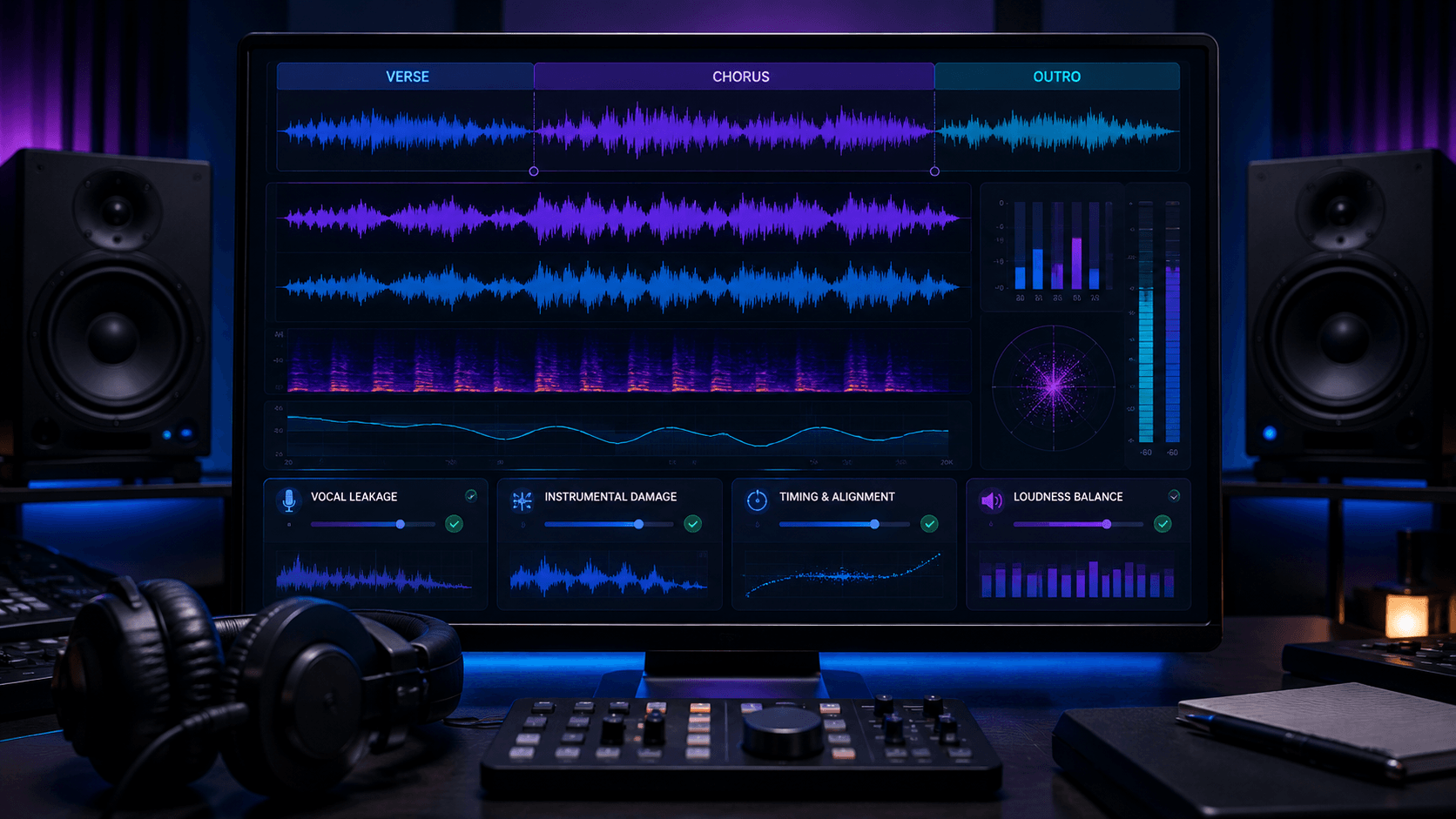
Review several parts of the song before spending time synchronizing lyrics or editing the final video.
How to Improve a Vocal-Removed Track
If the first separation is usable but not perfect, small production choices can make it more comfortable for karaoke. Trim silence consistently, apply gentle level normalization, and avoid aggressive noise reduction that can make cymbals and consonants sound watery. If the source has a prominent reverb tail, a small amount of residual vocal may be less distracting than over-processing the entire instrumental.
The most useful improvement is often choosing the right song version. Live recordings, remixes, tracks with wide stereo effects, and songs with layered backing vocals are harder to separate than a clean studio mix.
Common Limitations and Honest Expectations
No automatic vocal remover can recover information that was never recorded separately. Expect occasional artifacts around sibilants, harmonies, piano notes, or heavily reverberated vocals. For a casual practice track, those imperfections may be acceptable. For a commercial release, you should use properly licensed stems or a professional mix instead.
This is also why I recommend testing the instrumental before adding captions and backgrounds. Audio decisions made early are cheaper to change than a fully edited video.
Turn the Instrumental Track into a Karaoke Video
Once the instrumental passes your listening check, continue with lyrics and timing. If your lyrics are in an image or screenshot, the karaoke lyrics OCR workflow can help convert them into editable text. Then synchronize the lines, choose a readable visual style, and preview the complete song from beginning to end.
For a practical starting point, open Karaoke Maker’s track creator after you have your instrumental file ready. The separation step is only one part of production, but getting it right gives every later step a more stable foundation.
Final Takeaway
The best way to remove vocals from a song is to treat it as an audio preparation workflow, not a one-click promise. Start with a clean source, inspect several sections, keep realistic expectations, and only then build the lyrics and visuals. With that process, an AI-separated instrumental can become a reliable foundation for a personal karaoke track or a polished practice video.